 USONG
USONGTurn your lyrics into a song
Paste the lyrics you wrote, pick a style, and USONG sings them as a finished song. You don’t need to sing or read music. Prefer your own voice? You can do that too.
Free to start. iPhone and iPad.
From lyrics to song
Sample lyrics, written with USONG’s AI from one sentence: “a birthday song for my mom who loves her garden”. Paste your own words the same way.
[Verse 1]
You know each little patch of ground
By where the afternoon rests down
You tuck a seed beneath the clay
And coax a dozen greens to stay

[Chorus]
Happy birthday, Mom, the garden sings your name
Every rose and marigold is brighter when you came
May the year ahead bring sweetness, soft and new
All the love you plant comes blooming back to you
Show the full lyrics
[Verse 2]
The tomato vines lean toward the sun
The bees arrive when morning's young
You save a place for every bloom
And make the whole backyard a room

[Bridge]
Here's to green leaves after rain
To seed packets saved again
To another year of wonder
And the joy you grow around us
The finished song
Made with USONG from the lyrics on the left.

Now playing
The Garden Sings Your Name
More songs made with USONG
A daily selection from the public library, in different languages and styles. Press play to hear what finished songs sound like.

Now playing
翻过山去
How it works
Paste your lyrics
Open Lyrics mode in the app and paste the words you already have. Add a title if you like.
Choose a style
Describe the sound you want: the genre, the mood, the kind of voice, the instruments.
Listen and keep your favorite
Each generation gives you two versions. Play them, keep the one you like, and share it.
Make it in your own voice
USONG can sing your lyrics in a voice created from yours, so the finished song sounds like you. Set your voice up once, then use it whenever you create.
Open I’m a Super Singer
On the Explore tab, tap I’m a Super Singer, then Create Your Voice.
Sing a few lines
Sing the sample lines on screen a cappella while the recording runs. The app asks you to sing them, not read them.
Read a verification line
Read one short line aloud so the app can confirm it is the same person, then give your voice a name.
Create it and use it
Creating the voice takes a few minutes and uses credits. When it is ready, choose My Voice when you create a song from your lyrics.
- Custom voices need the V5 model or newer.
- Use your own voice only.
- If a voice expires, re-read a verification phrase in the app to restore it.
Using lyrics from ChatGPT or another tool
If you drafted lyrics with ChatGPT or any other writing assistant, paste them into USONG the same way you would paste your own. If you only have an idea, the built-in lyrics assistant can draft the words for you first.
Make sure you have the right to use any words you paste.
USONG is an independent app and is not affiliated with OpenAI or ChatGPT.
What you get
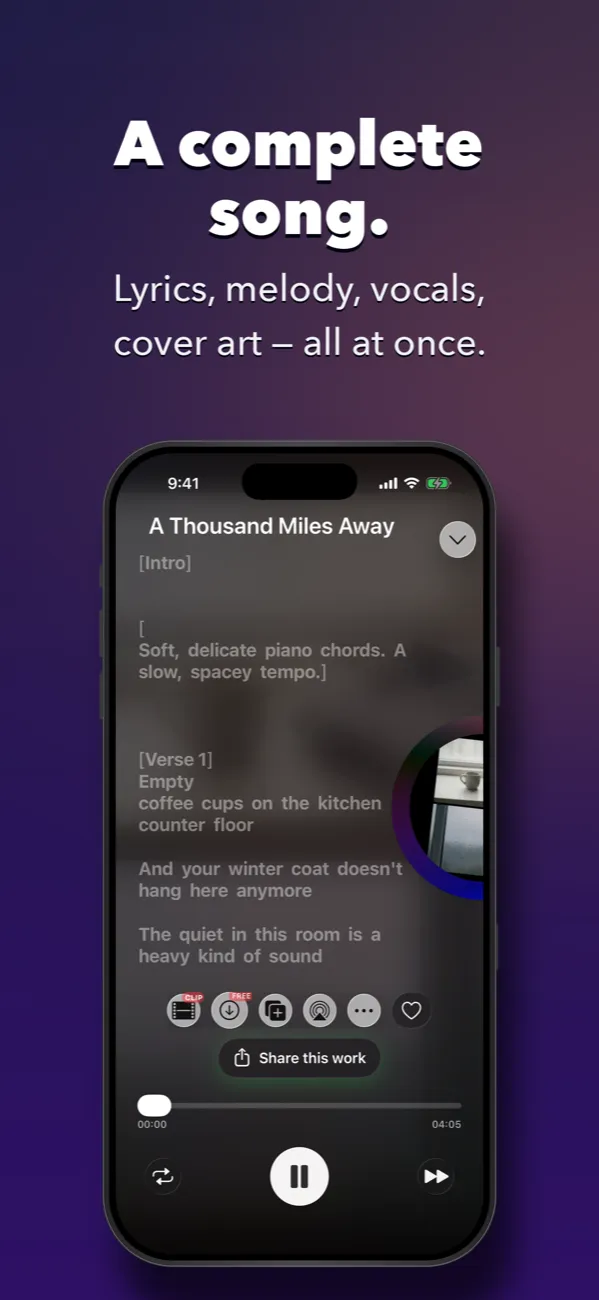
- A full song with vocals
- Your lyrics, sung over music in the style you describe.
- Two versions each time
- Compare them and keep your favorite.
- About a minute or two
- Most songs are ready in that time.
- Free to start
- Try it first; the app shows credits and prices clearly.
Questions
Can I use lyrics I wrote myself?
Yes. Paste them into Lyrics mode and USONG sings them in the style you choose.
Can I use lyrics written by ChatGPT or another AI tool?
Yes, you can paste lyrics from any source. Make sure you have the right to use the words you paste. USONG is an independent app and is not affiliated with OpenAI or ChatGPT.
How long does it take to make a song?
Usually a minute or two. It can take longer when many people are creating at the same time.
Is it free?
You can start for free. Some features and extra generations need credits or a subscription; the current prices are shown in the app.
Can I use the songs commercially?
To the extent permitted by applicable law, you may use the songs you generate for personal and commercial purposes. Copyright protection for AI-generated output varies by country, so please read our Terms of Service for details.
Do I need to sing or read music?
No. For a standard song you provide the words and describe the style; USONG writes the music and sings it. You only record your voice if you want the song sung in your own voice.
Can the song be sung in my own voice?
Yes. Record your voice in the app and USONG creates a custom voice you can choose when you make a song from your lyrics. Custom voices need the V5 model or newer.
What do I need to record my voice?
A quiet place. You sing a few sample lines a cappella, then read one short verification line aloud. The app guides you through both steps.
Does creating my voice cost credits?
Yes. Creating a custom voice uses credits, and the amount is shown in the app before you confirm.
Make your first song
Download USONG, paste your lyrics, and hear them sung.